01
Upload Your Images
Add the photos you want to combine, from people and products to objects, backgrounds, or style references.
Combine two or more photos instantly with our AI Image Combiner. Upload your images and turn them into polished product shots, creative ads, or natural together photos.
Images
Click to upload images
Drag files here, up to 4 images
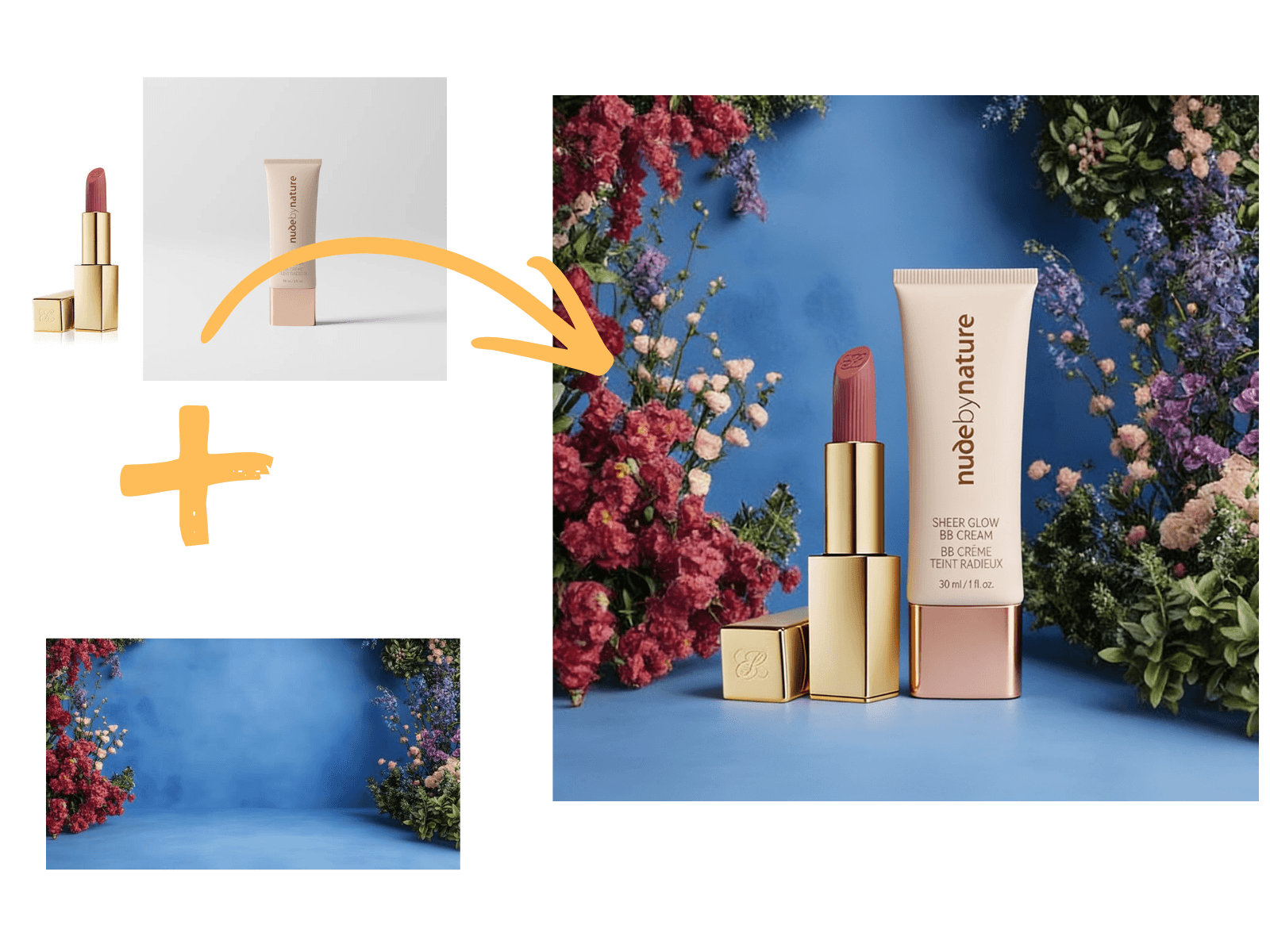
Use AI Image Combiner to merge two or more photos into one polished visual. Blend people, products, objects, and backgrounds with a simple prompt, without masking, layers, or editing skills.
Tell the AI how your images should come together. Use a prompt to describe the scene, style, background, lighting, or relationship between the images, then let AI Image Combiner create a result that follows your direction.
Start with your images, add a clear prompt, and let AI create a new composition from your references.
Add the photos you want to combine, from people and products to objects, backgrounds, or style references.
Describe how the images should come together, including the scene, style, lighting, or relationship between subjects.
Create a combined image from your inputs, review the result, and download the version that fits your idea.
Create practical edits and visual ideas from the photos you already have, from people and products to backgrounds and style references.
The right tool should make image combination feel natural, controllable, and fast enough to try more than one idea.
A good result should feel like one finished image, with consistent lighting, perspective, edges, and visual style.
You should be able to describe what matters, from the scene and background to how the subjects should relate.
The best workflow is simple: upload images, add direction, generate, and iterate without opening a complex editor.
AI should handle the heavy lifting, so you can create polished combinations without layers, masks, or cutouts.
Both tools combine images, but they solve different jobs. A collage keeps photos separate, while AI can turn multiple images into one new scene.
A collage maker arranges existing images into a layout. It is useful when you want a clean grid, side-by-side comparison, or simple photo board.
An AI image combiner creates a new visual from your images and prompt. It can blend subjects, backgrounds, styles, and scenes into one result.
Better inputs and clearer direction usually lead to stronger AI image combinations.
Start with sharp images where the main subject is easy to see. Clear faces, products, and backgrounds give the AI better material to work with.
Tell the AI how the images should connect, such as placing two people in the same scene or adding a product to a lifestyle background.
Add details about mood, camera angle, lighting, and setting when you want the final image to feel more intentional.
Frequently Asked Questions
Have a question about AI Image Combiner? Find answers to common questions here, or contact our support team for more help.
An AI image combiner uses artificial intelligence to create a new image from two or more source images. Instead of placing photos next to each other, it can blend subjects, backgrounds, styles, and scenes into one finished visual.
Yes. The goal of AI Image Combiner is to let you start combining images online for free, so you can test ideas before deciding whether you need more advanced usage.
The landing page is designed around a fast online workflow. If no-login generation is enabled for the final product, users should be able to upload images and preview results with minimal friction.
Yes. A prompt helps explain how the two images should come together. You can describe the scene, pose, background, lighting, style, or the relationship between the images.
Yes. AI Image Combiner is intended to support more than two images, so you can use people, products, objects, backgrounds, and style references together in one generated composition.
Yes. You can use two separate portraits as references and ask the AI to place the people into one shared scene, such as a casual portrait, memory-style photo, or creative concept.
Yes. Upload two portraits and describe the hugging pose or moment you want. Clear source images and a specific prompt usually help produce a more natural result.
Yes. A collage maker usually arranges existing photos in a grid or layout. An AI image combiner can create a new image by blending subjects, backgrounds, styles, and prompt instructions.
Image restrictions depend on the final model and safety policy. In general, users should upload images they have the right to use and avoid requests that are illegal, harmful, or violate another person's privacy.
Upload your images, describe the result you want, and create a new AI-generated visual in seconds.